navree

Reference app

A real CRM,built on Navree.

Companies, contacts, a deal pipeline, tasks and a live dashboard for a sales team with roles and an audit trail. The API is a Navree app split into feature crates, and it ships with two front ends, Next.js and Nuxt. It lives in the repository and is tested with the framework.

localhost:3000/
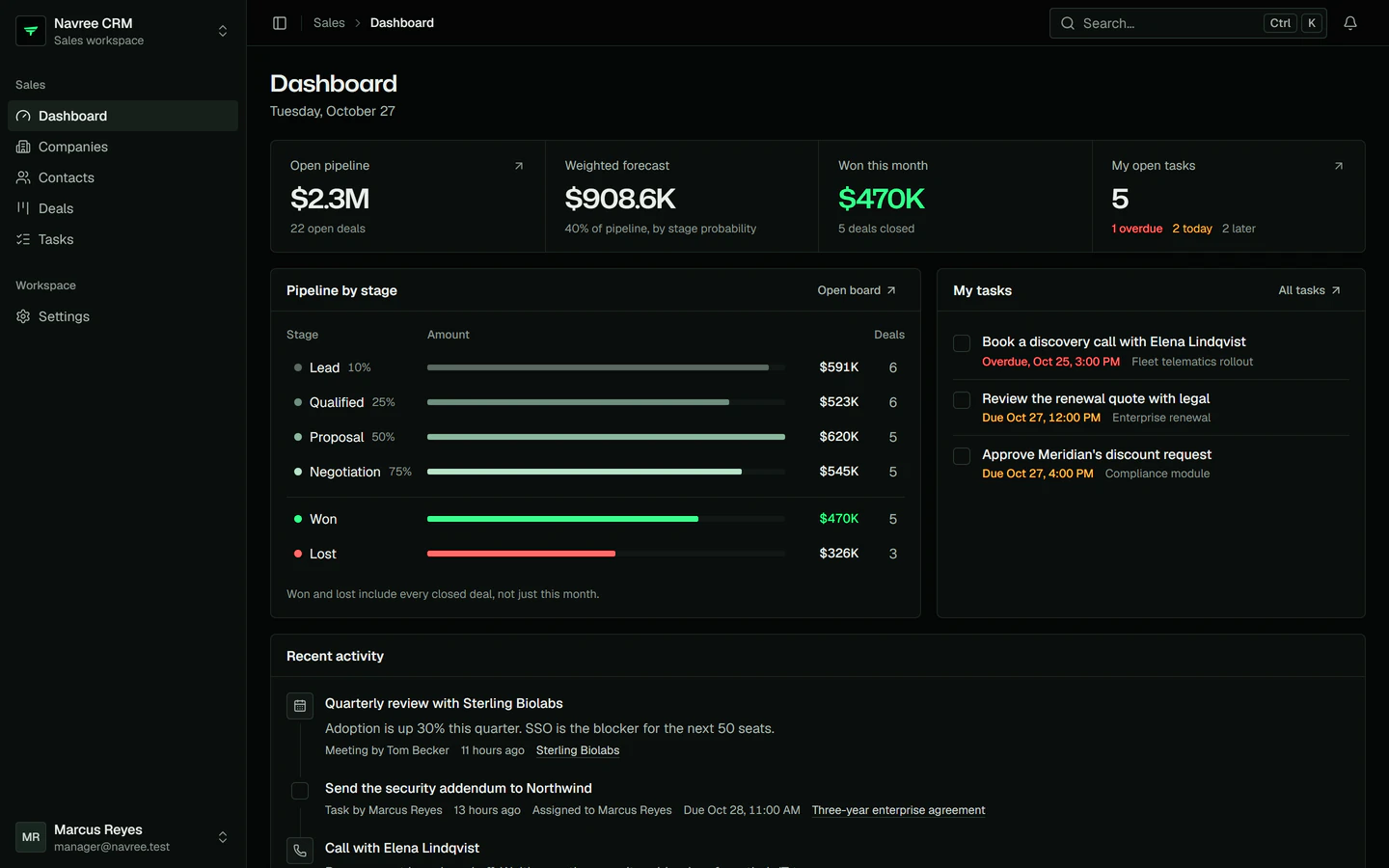
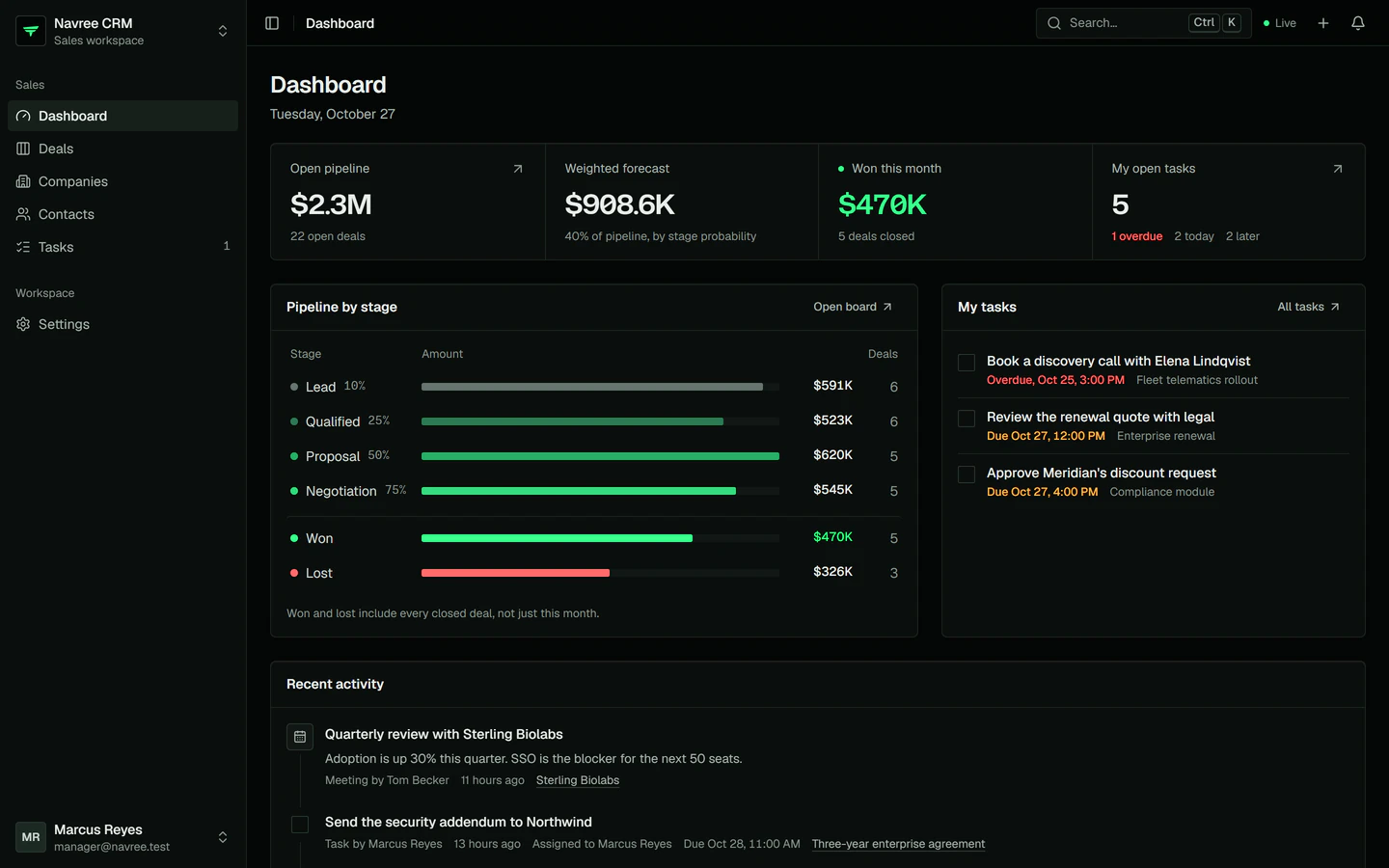
The Navree CRM dashboard in the Next.js front end: open pipeline, weighted forecast, deals won this month, the pipeline by stage and the manager's tasks
CRM modules
8CRM modulesFour feature crates on one shared core
framework modules
19framework modulesHTTP to real time, configured once
roles
3rolesChecked on routes, in SQL and in the browser
front ends
2front endsNext.js and Nuxt on one BFF contract

The screens

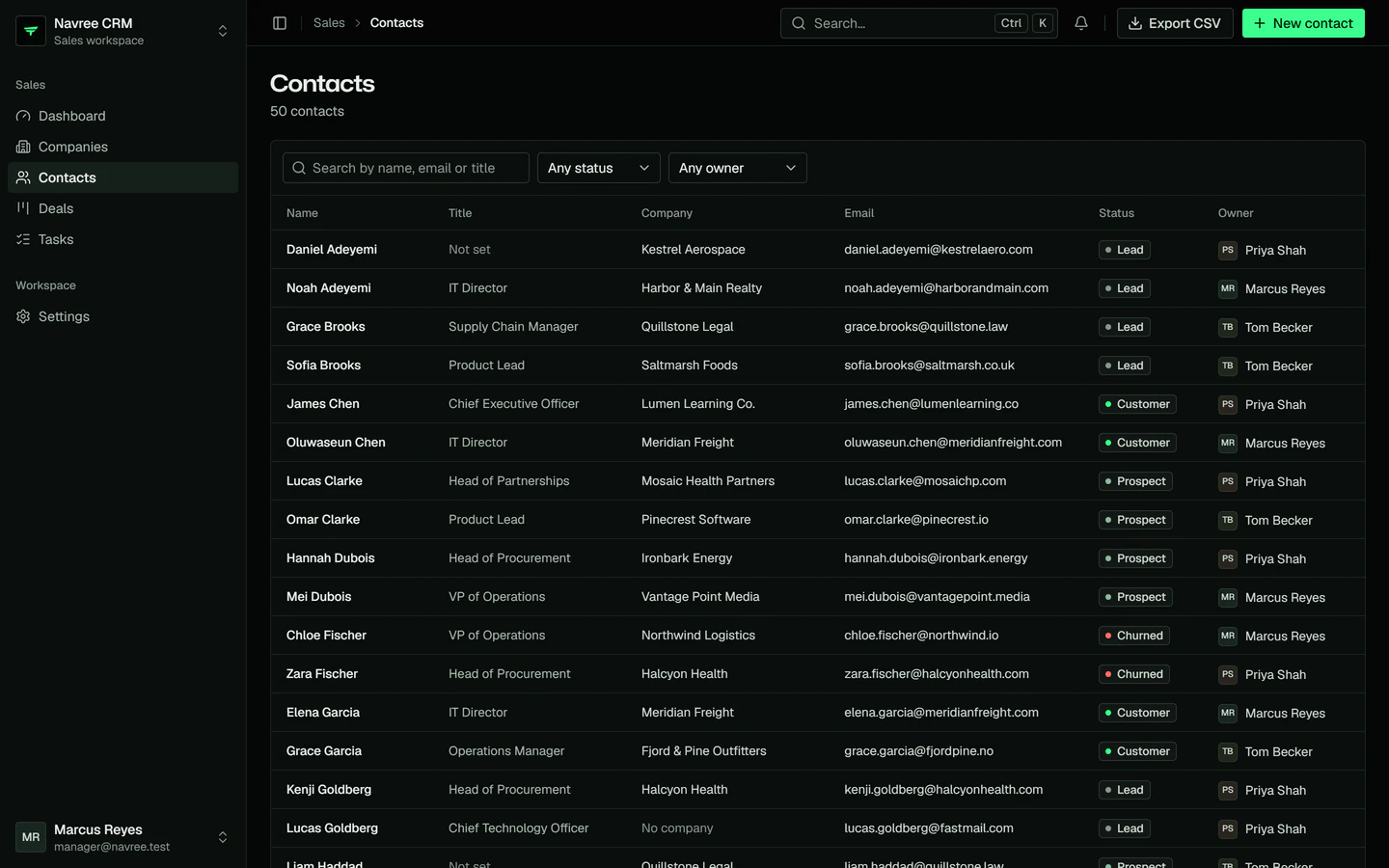
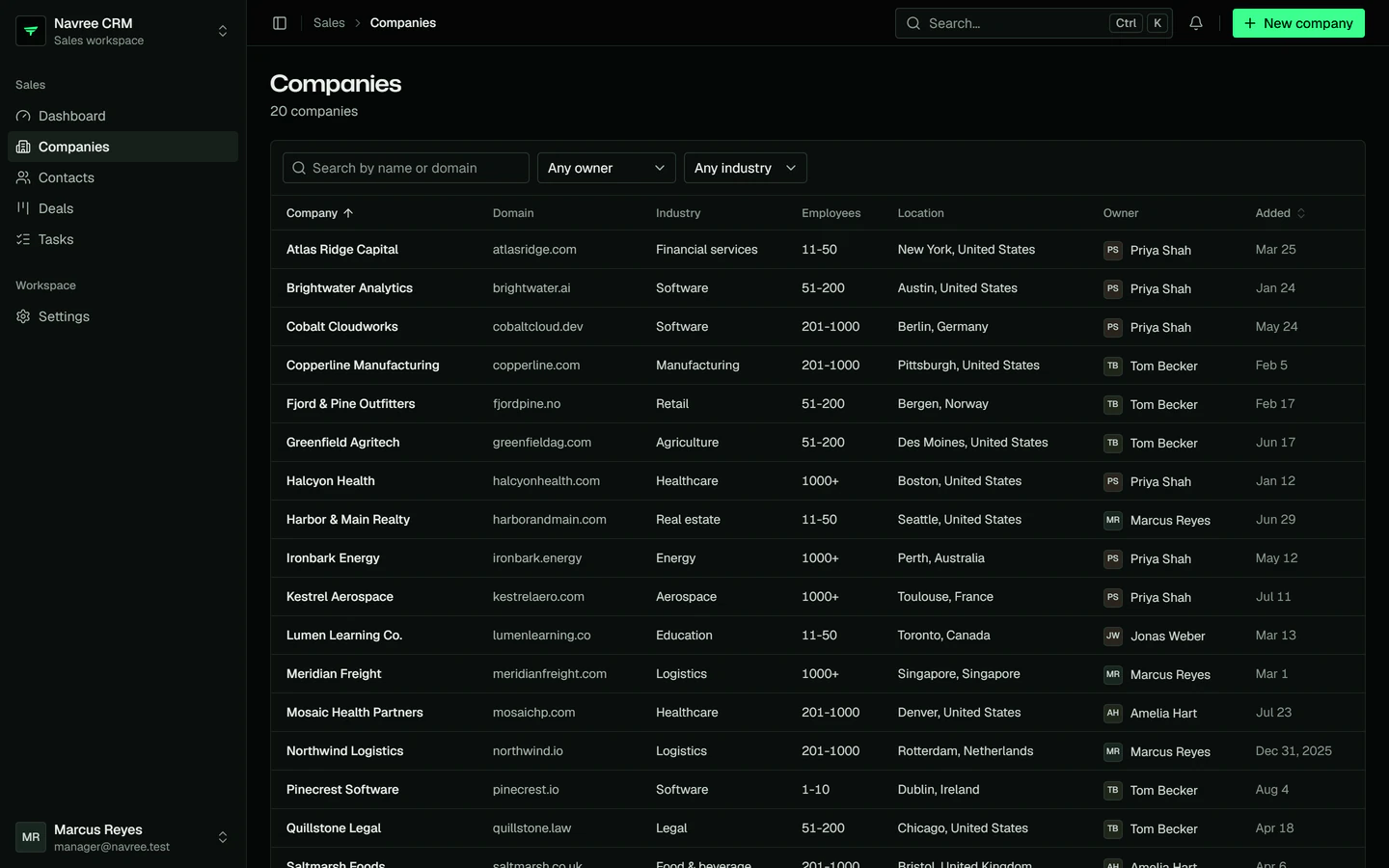
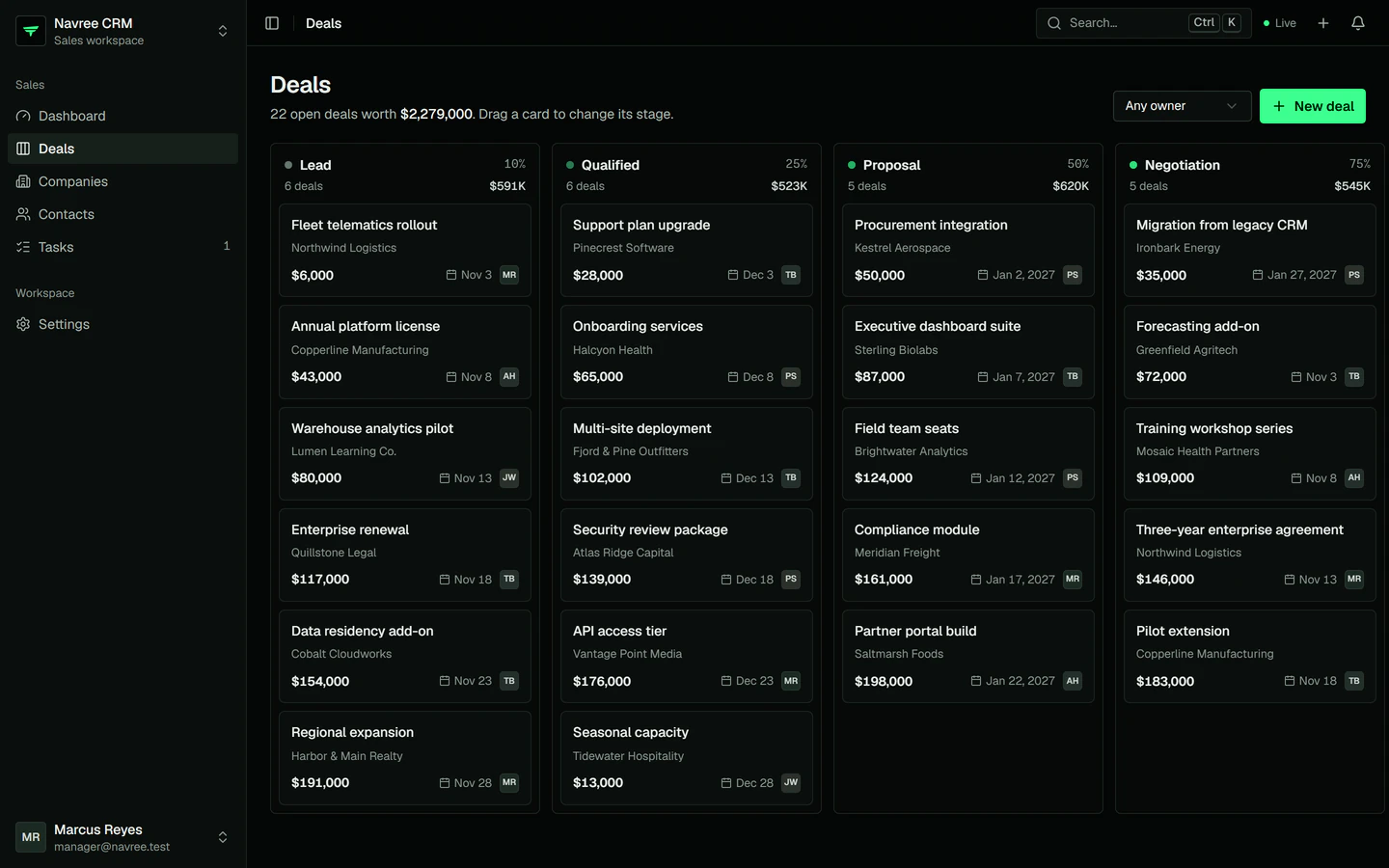
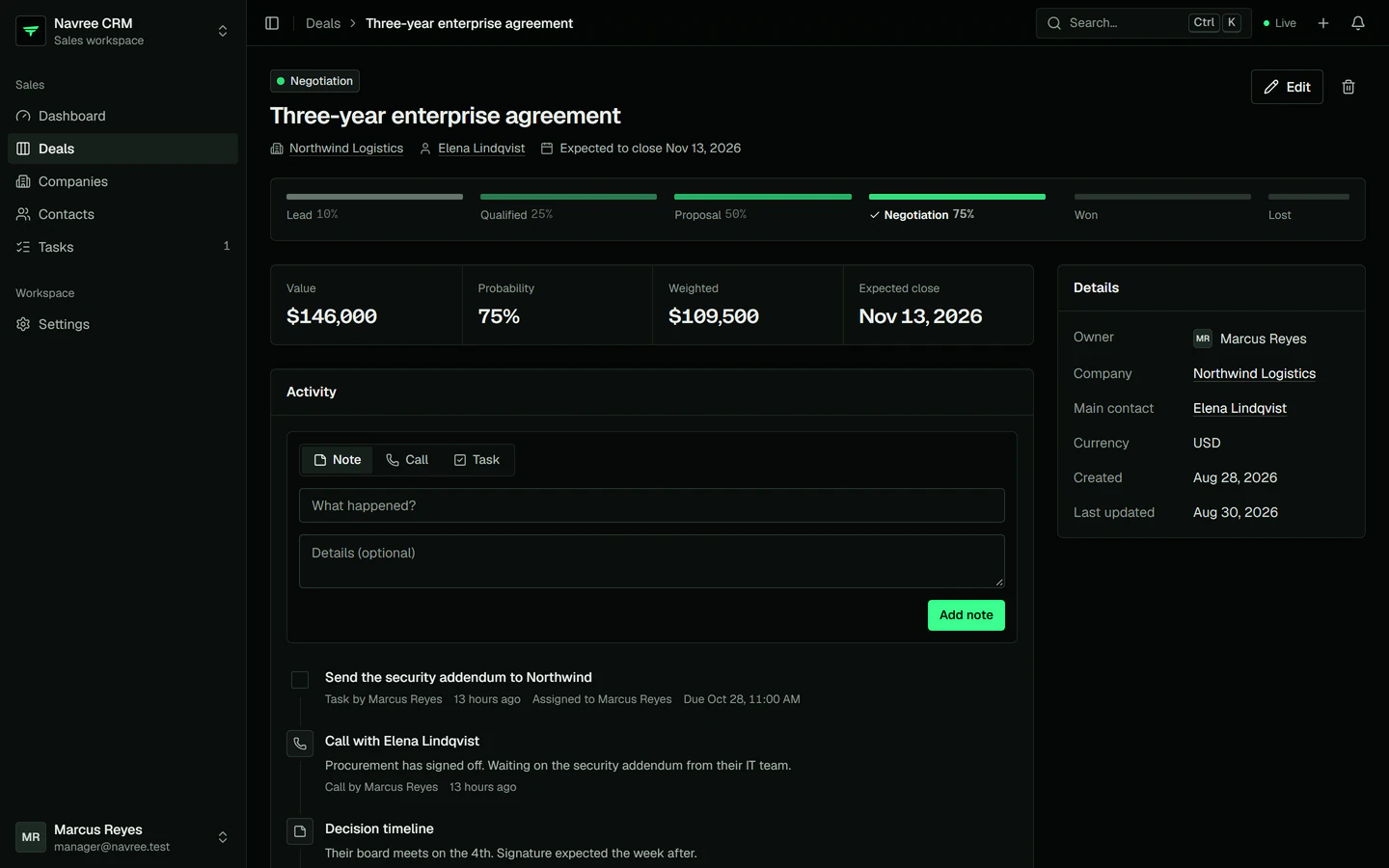
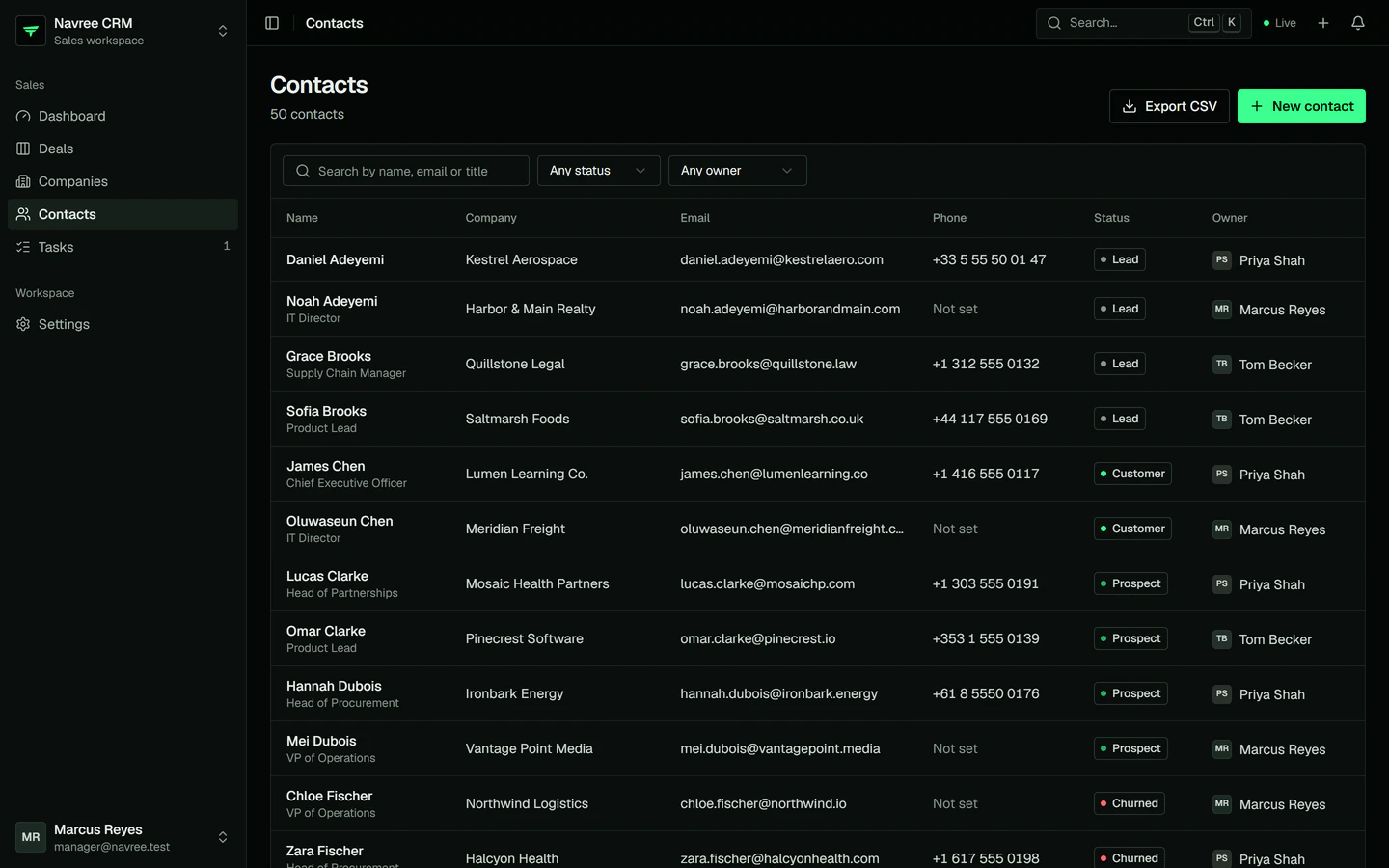
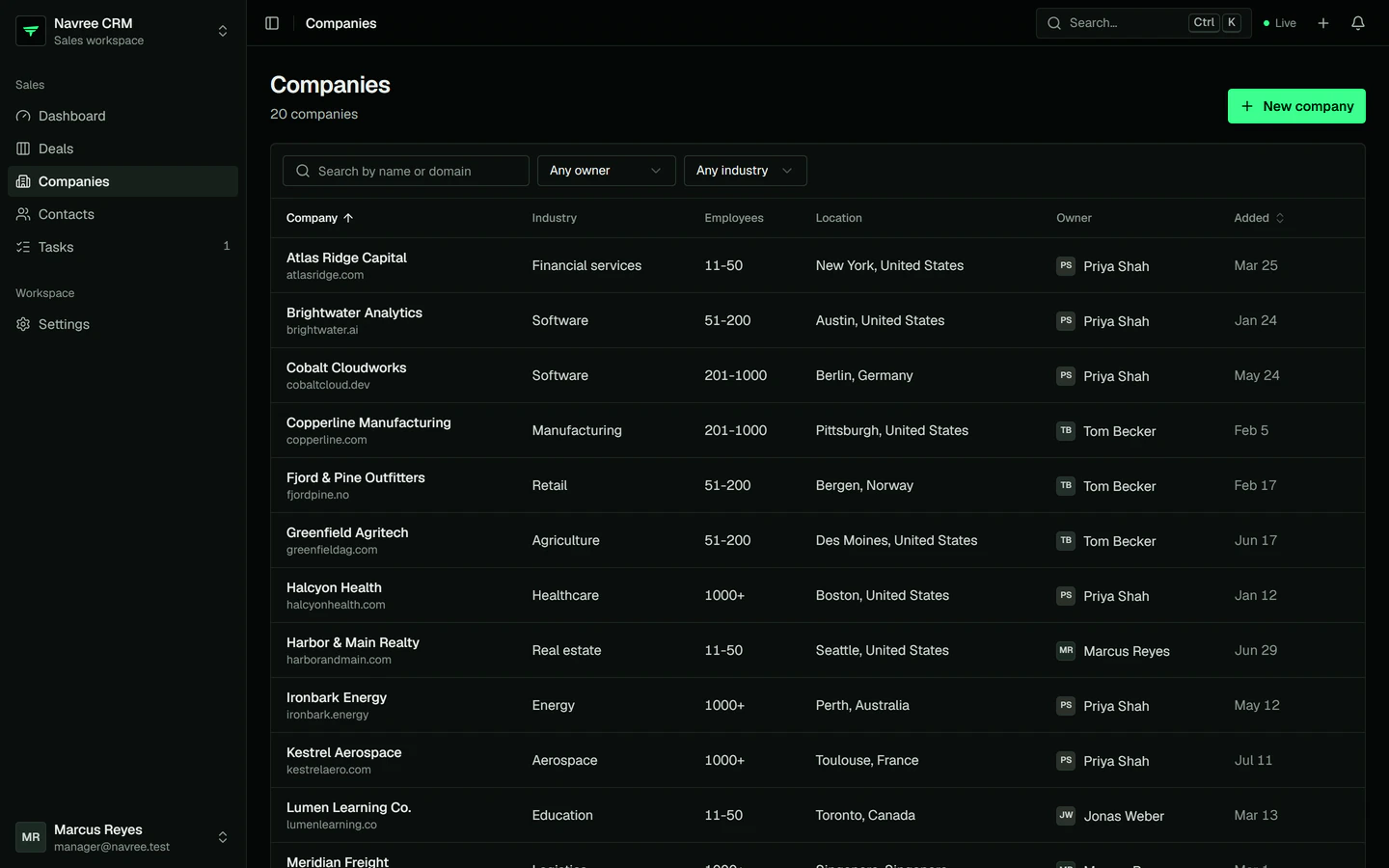
Every screen, in both front ends.

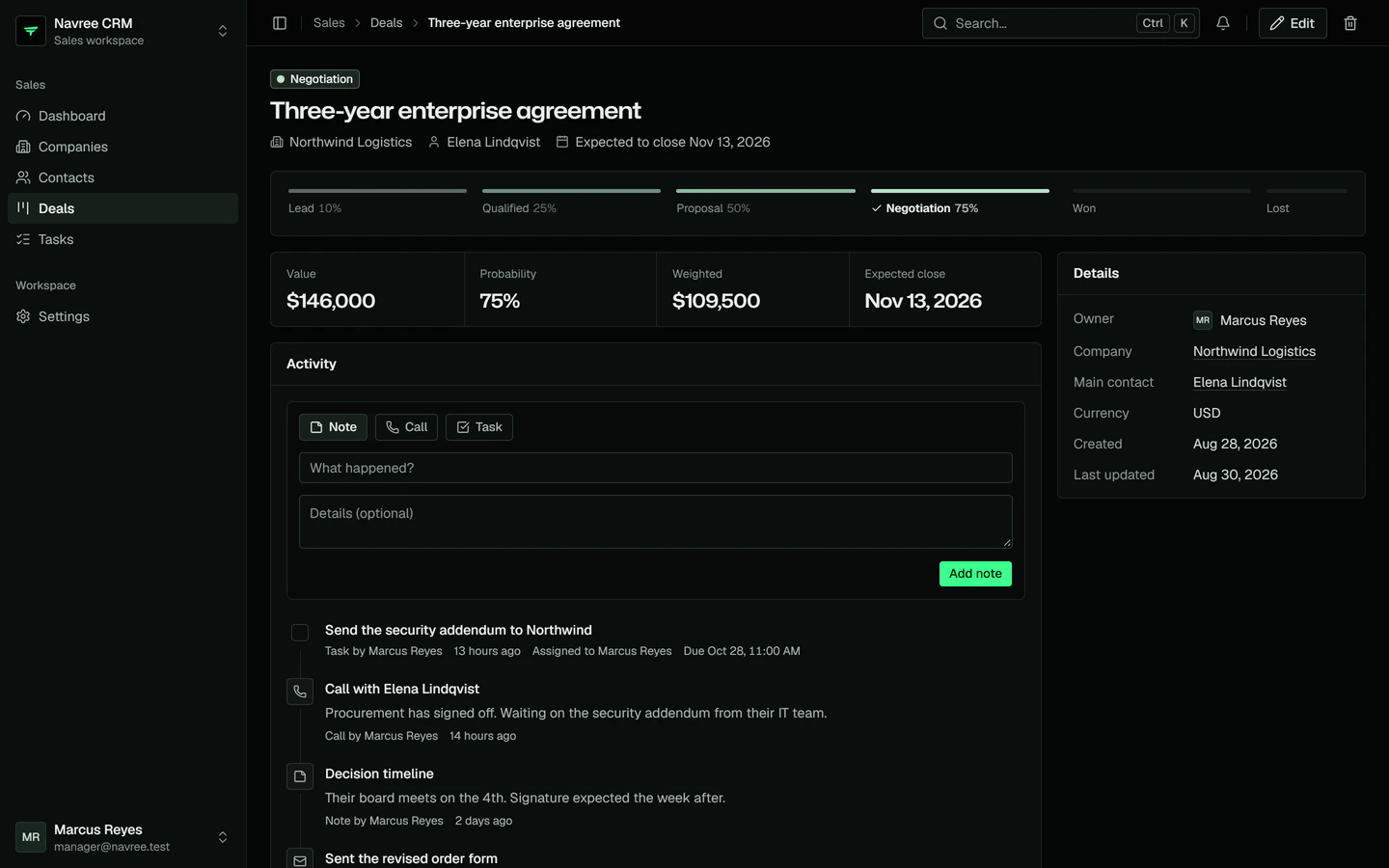
Captured from the running app against the CRM API and its demo data, signed in as the sales manager. Switch between the Next.js and the Nuxt front end: the same API, the same contract, the same theme.

localhost:3000/
The Navree CRM dashboard in the Next.js front end: open pipeline, weighted forecast, deals won this month, the pipeline by stage and the manager's tasks

The dashboard · Next.js

Open pipeline, a forecast weighted by stage probability, deals won this month, the pipeline by stage and today's tasks, in one call.

Served by

GET /api/v1/dashboard

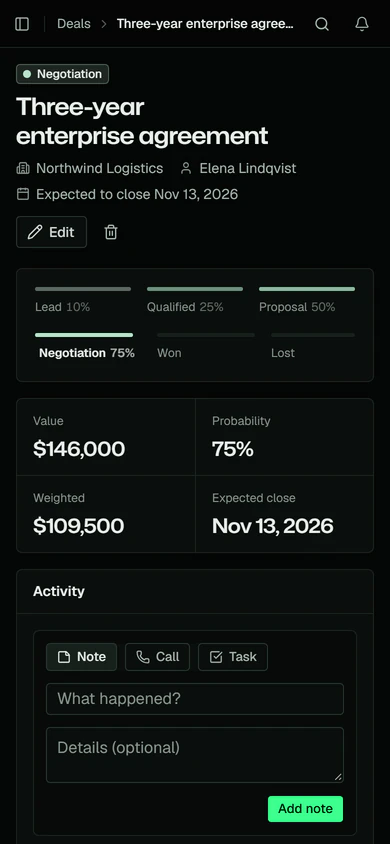
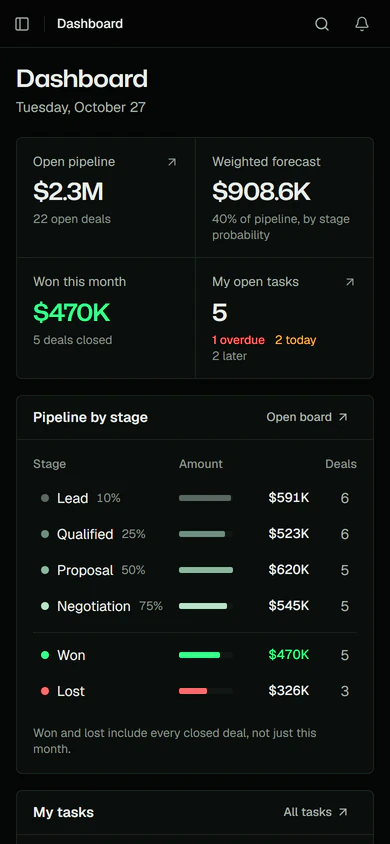
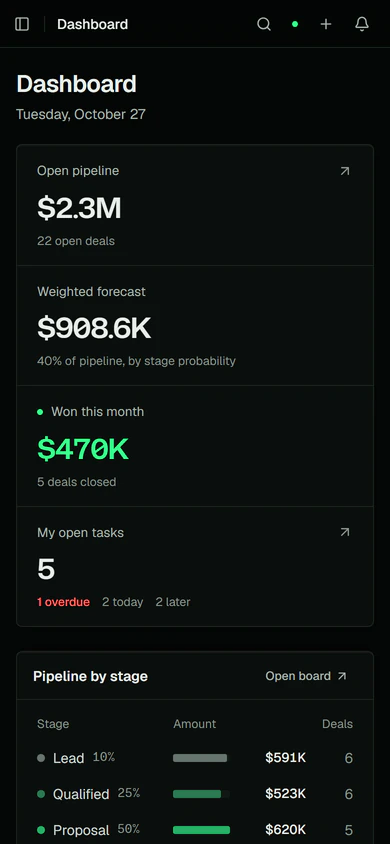
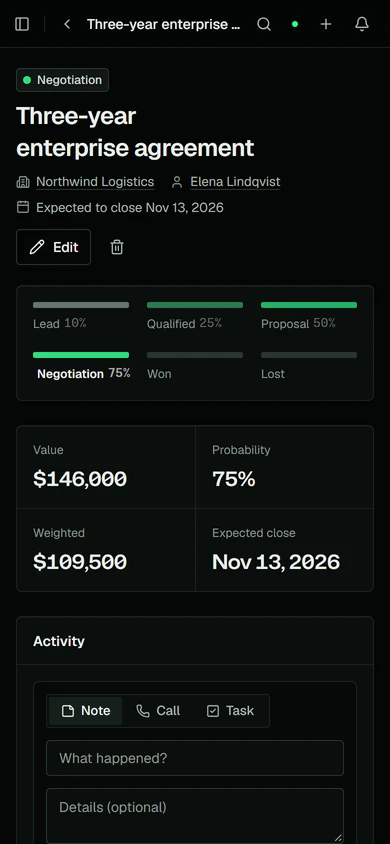
The same app on a phone.

The sidebar becomes a sheet, the top bar keeps search, Create and notifications, and every screen works at 390 px without scrolling sideways. Detail pages lead with a back arrow and the record's name.

The dashboard of the Next.js front end on a phone
Dashboard · Next.js
A deal page of the Next.js front end on a phone
Deal · Next.js

How it is built

A Navree app, from crates to sockets.

The CRM uses the framework the way your app will: feature modules on a shared core, access rules in one function, events and queues for side effects, real time over the Pusher protocol and a backend-for-frontend that keeps tokens out of the browser.

01 · Modules

Feature crates on one core.

Each feature is a crate with its own module, controller, service and tests. Feature crates depend only on crm-core, never on each other, so a deal can reach shared models but never the contacts code. Cargo builds and tests them in parallel.

crm-core holds the ORM models and their factories, the migrations, the roles and the abilities function, and its platform() configures the framework modules once for the API and every test.

apps/crm-api/src/app.rs
The CRM APIcrm-api is one binary. Its app.rs registers the CRM's modules on top of the platform. They live in four feature crates: crm-users (users and roles), crm-companies (companies, contacts and the CSV export), crm-deals (deals, the board and deal events) and crm-activities (tasks, the dashboard and reminders). Each feature crate depends only on crm-core, never on another feature; crm-core holds the models, the migrations, the roles and the abilities function. crm-core's platform() configures 19 Navree framework modules, from HTTP and the database to auth, access control, queues and real time.Feature cratescrm-apione binarycrm-usersusers and roles, for adminscrm-companiescompanies, contacts, CSVcrm-dealsdeals, the board, eventscrm-activitiestasks, dashboard, reminderscrm-coreentities · roles · abilitiesnavree19 framework modulesapp.rsonly on crm-coreplatform()
The CRM API
  • depends on

02 · Access rules

Every rule in one function, enforced three ways.

Three roles, admin, manager and rep, are stored in the access module's tables. One function, crm_core::abilities::define, says what each may do: read everything, create records, change what you own, never delete a won deal.

  • Routes declare what they need. #[can(Move, Deal, from = "id")] loads the deal and checks it before the handler runs.
  • Lists take Accessible<Deal, Read>, which turns the rules into SQL, so a page only holds rows the user may read.
  • The browser gets the same rules as CASL JSON from GET /api/me/abilities and hides what a user can't do.
crates/crm-deals/src/controller.rs

03 · Events and real time

A deal moves on every open board.

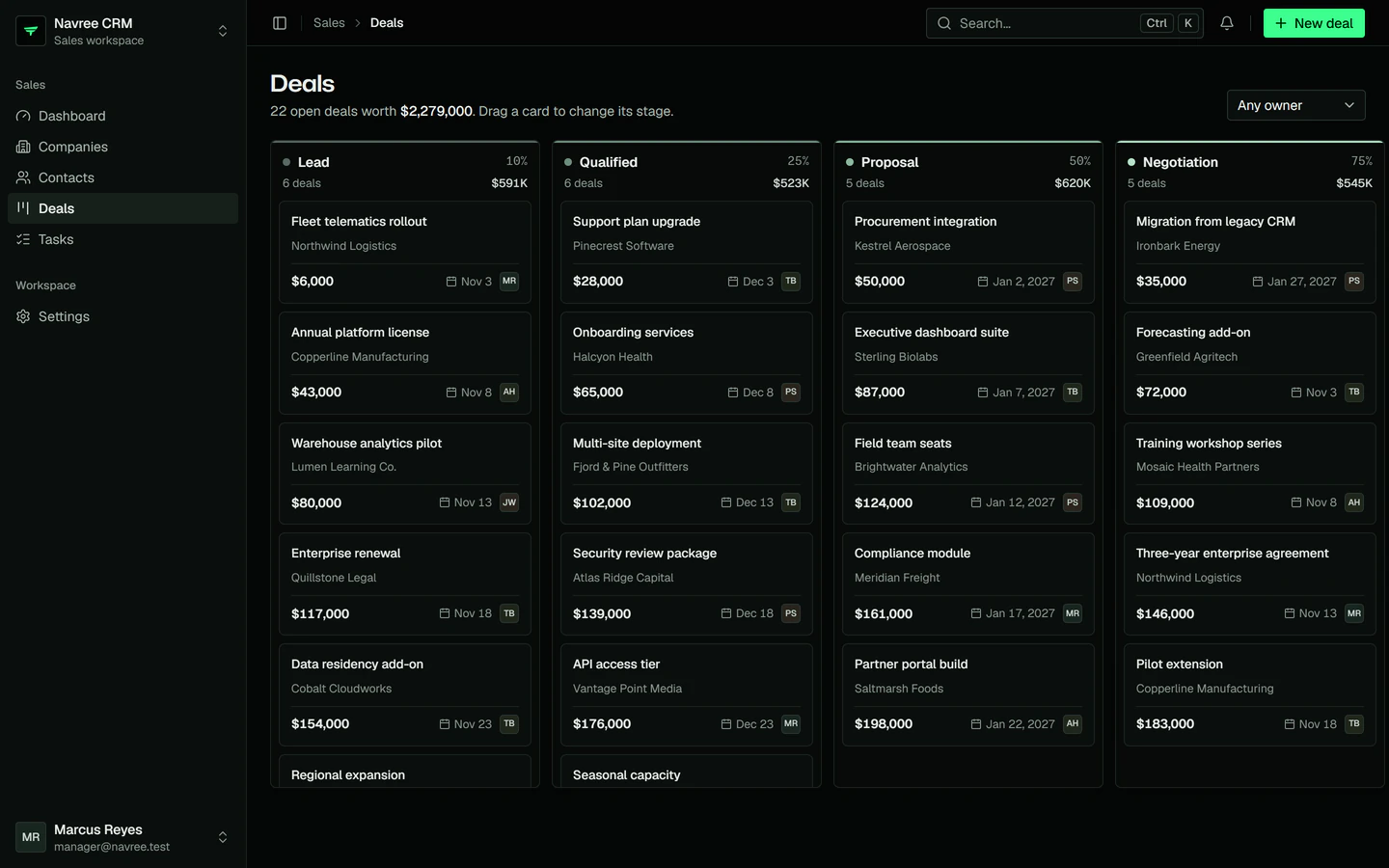
After every change to a deal commits, the API broadcasts it as deal.updated on private-crm.deals, and every open board moves the card. Winning or reassigning a deal also emits DealWon or DealAssigned: a queued listener notifies the owner, stored for the bell, pushed to their browser and mailed.

crates/crm-deals/src/lib.rs

04 · Workspaces

One team today, many tomorrow.

The CRM runs one team's workspace. To serve many teams, add WorkspaceModule and give the tenant tables a workspace_id: requests resolve their workspace from a header, a subdomain, a path or a token claim, members get workspace roles, and every query stays inside its workspace. Routes, services and rules stay as they are.

apps/crm-api/src/app.rs
Backend for frontendThe browser calls only its own web server, on the same origin, and holds cookies it can't read. The Next.js BFF keeps the access token (navree_at) and the refresh token (navree_rt) in httpOnly cookies and calls the Navree API with Authorization: Bearer. When the access token expires it refreshes once per refresh token, and Navree rotates the refresh token on every use. The Navree API reads and writes PostgreSQL in one transaction per request, and after a change it broadcasts to its WebSocket server, which pushes the event straight to the browser. The socket carries no token; private channels are authorized through the BFF.Browsercookies it can't readNext.js BFFhttpOnly cookiesnavree_ataccessnavree_rtrefreshNavree APIHTTP and WebSocketPostgreSQLusers · token familiessame originBearerrefresh,rotatesone transaction
Backend for frontend
  • request
  • real-time event

05 · The BFF

No token ever reaches the browser.

The browser calls only its own server. That server, the backend-for-frontend, keeps Navree's access token and rotating refresh token in httpOnly cookies, forwards each call with Authorization: Bearer and refreshes once per refresh token, because reusing a rotated one ends the session.

The WebSocket goes straight to Navree and carries no token. Private channels are authorized through the BFF.

One API, your front end

Next.js or Nuxt. Same contract, same theme.

Both front ends run a backend-for-frontend with the same routes, cookies and rules, written as framework-free TypeScript and wired in with a few lines. Pick the one your team knows; the API doesn't change.

One API, two front endsThe browser calls only its own origin and holds no token. Either front end runs a backend-for-frontend with the same contract: the Next.js app in a catch-all route handler (app/api/[...path]/route.ts), the Nuxt app in a Nitro server route (server/api/[...path].ts). Both keep the access and refresh tokens in httpOnly cookies, check the origin of every write, refresh once per refresh token, and call the same Navree API, crm-api, with Authorization: Bearer.Same contractBrowserno tokensNext.js BFFapp/api/[...path]/route.tsNuxt BFFserver/api/[...path].tsNavree APIcrm-apisame originBearer
One API, two front ends
  • request

The contract

  • POST /api/auth/login signs in at Navree, keeps the tokens in httpOnly cookies (navree_at, navree_rt) and returns only the user.
  • Every other /api/* call is forwarded on the same path, so the API's OpenAPI document types the client.
  • A 401 refreshes once per refresh token, shared by every request in flight.
  • A write from another origin gets a 403 before it reaches Navree.
  • /broadcasting/auth signs private channels for pusher-js.
  • The UI reads the access rules from GET /api/me/abilities with CASL.

The theme

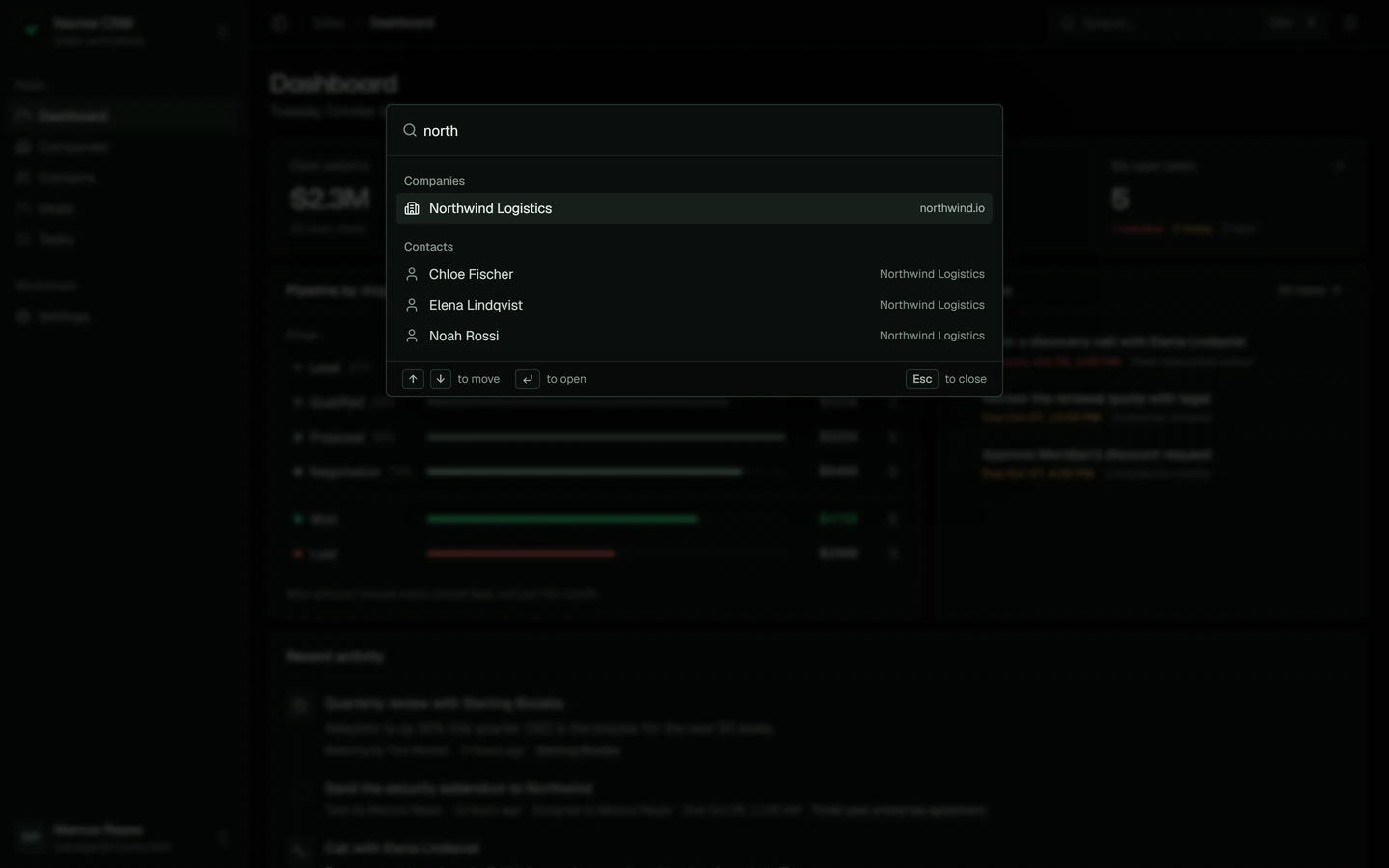
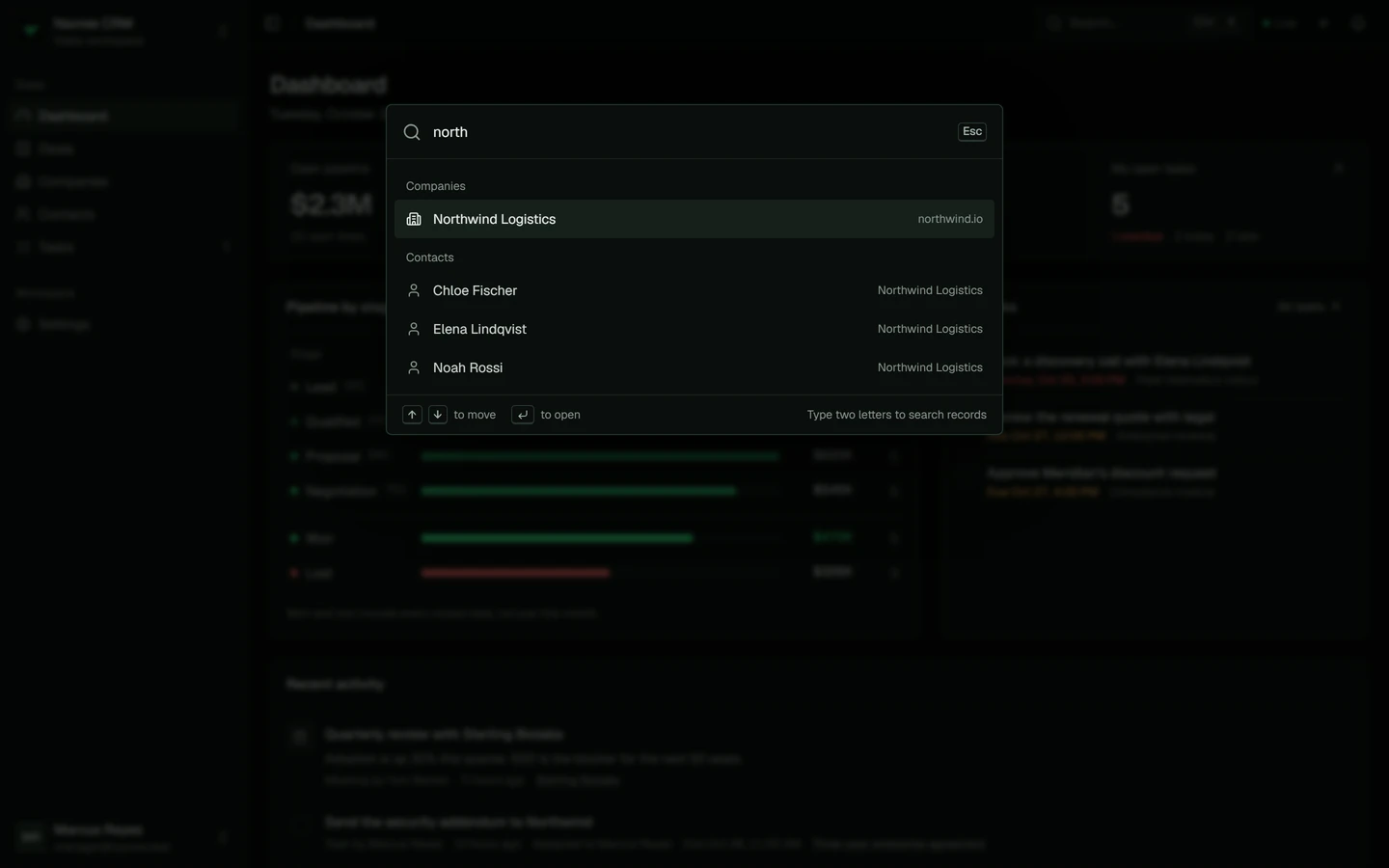
Both are dark, on the navree.com tokens, with a sidebar that folds to icons with Ctrl B, a 48px top bar, a command palette on Ctrl K, 4px corners on controls and 6px on surfaces. shadcn/ui draws the React app and shadcn-vue the Vue one.

Next.js

apps/crm-web

Next.js 16, React, TanStack Query, shadcn/ui

src/app/api/[...path]/route.ts

Nuxt

apps/crm-nuxt

Nuxt 4, Vue 3, TanStack Query, shadcn-vue

server/api/[...path].ts

Start your own

The same stack, one command away.

The SaaS starter kit is built from the CRM's patterns: an API with sign-in, workspaces, billing and an admin panel, and a front end with the same BFF. Choose the front end with --ui.

Next.js front end

A SaaS app on Next.js

$ navree new acme --kit saas --ui next
$ cd acme
$ navree dev

navree dev serves the API on :8080 and the web app on :3000. To run them apart, use navree dev --no-web and pnpm dev in web/.

Nuxt front end

A SaaS app on Nuxt

$ navree new acme --kit saas --ui nuxt
$ cd acme
$ navree dev

navree dev serves the API on :8080 and the web app on :3000. To run them apart, use navree dev --no-web and pnpm dev in web/.

Run this CRM

Run it on your machine.

You need Rust 1.95 or newer, Node.js and pnpm. No database server: development uses SQLite. Run each long-running command in its own terminal.

  1. 01

    The API

    Create a key, the database and its demo data, then serve the API and its WebSocket server.

    apps/crm-api
  2. 02

    The Next.js front end

    Talks to the API at NAVREE_API_URL, http://127.0.0.1:8080 by default.

    apps/crm-web
  3. 02

    Or the Nuxt front end

    Point its BFF and its socket at the same API.

    apps/crm-nuxt
Sign in with a demo account. Every password is password123.
EmailRoleCan
[email protected]
[email protected]
[email protected]
[email protected]

No Rust toolchain yet?

pnpm dev:mock runs either front end against an in-browser mock of the API, with the same demo accounts.

Browse the code on GitHub